Password management is the practice of keeping your business’s passwords secure and under control, rather than something each person handles on their own.
Without that practice in place, passwords end up scattered. A password written on a sticky note, reused for years, or shared over email is often all it takes for someone to get into your accounts, files, or customer data.
If you’re not sure whether your business handles passwords the right way, that’s exactly the question this article answers.
This article explains what password management means for a business like yours, so you can see where yours stands.
What is Password Management?
Password management is how your business keeps passwords strong, stored safely, shared properly, and removed when access is no longer needed. Password management is about knowing:
- Who can access which accounts
- How those passwords are protected
- What happens when someone changes roles or leaves.
That matters because most teams do not lose control all at once. Control slips through reused passwords, shared spreadsheets, browser-saved logins, old admin access, and credentials passed around in chat.
A password manager can help, but it is only one part of the practice. The real goal is simple: make safe password behaviour easier than risky workarounds.
Password Management vs Password Manager, What’s the Difference?
Password management is the practice of managing a password. While a password manager is the tool used to manage your password.
1Password, Bitwarden, and Dashlane are examples of password managers. They store, generate, and autofill passwords, but they don’t set access rules or handle offboarding.
To understand the differences, you can check the comparison table below to see what each one does.
| Area | Password management | Password manager |
|---|---|---|
| What it is | The way your business controls password use | The tool that stores passwords |
| Main job | Sets the rules for password use | Helps your team save and use passwords safely |
| Sharing | Decides when passwords can be shared | Gives your team a safer way to share them |
| Staff changes | Helps remove access when someone leaves | Lets you remove someone from the password vault |
| Business control | Helps you know who can access what | Helps keep passwords in one secure place |
How Does Password Management Work?
Password management works by turning password security into a repeatable process your team can follow across everyday accounts.
That process usually starts with clear password rules, safe storage, controlled sharing, MFA, access reviews, and proper steps when people join or leave.
Setting Password Standards Across Accounts
Password standards define what a safe password looks like and where it must be used.
Modern password standards favour length, uniqueness, and resistance to known compromised passwords. For reference, NIST Special Publication (SP) 800-63B digital identity guidance says password rules should not:
- Impose extra composition requirements such as forced mixtures of character types
- Require periodic password changes unless there is evidence of compromise.
For your business, this standard should translate into a few clear rules:
- Use long passphrases where people must remember them
- Use generated passwords where a password manager can store them.
- Block known weak or compromised passwords where the tool supports it.
Storing and Sharing Credentials Securely
Credentials should be stored and shared through approved systems, not through email, chat, spreadsheets, or documents.
A password manager gives users a secure vault and can reduce the need to expose the actual password.
For small teams, this is often the first real improvement because password access becomes visible instead of scattered across people, chats, and browsers.
Controlling Who Has Access to What
Access control makes password management useful, which means your team should not all have the same keys.
Each person should only get the accounts they need for their role, and that access should end when the need ends.
This is where password management becomes real control: fewer shared logins, fewer forgotten permissions, and less guesswork when someone changes roles or leaves.
Handling Credentials When People Join or Leave
Credential handling means giving people the right password access when they start, change roles, or leave.
New people should only receive the access their role needs. When someone leaves or moves, old access should be removed quickly and shared passwords should be reviewed.
This keeps passwords from following people longer than they should.
This approach is often overlooked in organisations with 10–100 staff. The team grows quickly, tools multiply, and access history becomes unclear.
Monitoring for Reused or Breached Passwords
Password monitoring helps detect weak, reused, or exposed credentials before they become a larger access problem.
In 2026, many password managers include password health checks, reuse alerts, and breach monitoring.
We recommend looking for password manager features that alert users if one of their passwords has been exposed in a data breach.
This kind of check often sits alongside a wider vulnerability assessment process, which can flag exposed credentials as part of a full scan of your systems.
However, this password monitoring should not replace incident response. Password monitoring should only give earlier visibility.
When a password is exposed, the right action is to change it, check account activity, confirm MFA coverage, review whether that password was reused elsewhere, and record the follow-up.
Where a Password Manager Fits in the Practice
A password manager sits in the middle of password management because it gives your team one approved place to create, store, share, and monitor passwords.
That makes the wider practice easier to run because access is no longer scattered across browsers, chats, spreadsheets, and personal memory.
But it is still only the operating tool. Your business still needs clear rules, MFA, access reviews, leaver checks, and someone responsible for keeping the system under control.
That kind of ongoing oversight is what managed security services are built around, keeping rules, monitoring, and reviews running instead of leaving them to chance.
What are the Tools for Password Management?
Password management tools range from browser features to dedicated business password manager platforms and enterprise credential vaults.
The examples below are useful mainly as category markers because the real decision is whether the tool gives your team the right level of control.
Password Features Built Into Browsers and Devices
Browser and device password tool examples include Google Password Manager, Apple iCloud Keychain, and password features built into common browsers and operating systems.
These tools can be useful for personal use or very light business use. It helps individuals save, autofill, and sync passwords.
The limitation is business control. Browser-based tools may not give enough central visibility, access review, secure team sharing, or offboarding control for a growing company.
Standalone password manager apps
Standalone password manager app examples are 1Password, Bitwarden, Dashlane, Keeper, and NordPass.
These standalone password manager apps are dedicated tools for storing, generating, and autofilling passwords.
These tools usually cover the basics: vault storage, password generation, autofill, and secure sharing.
For a solo founder or very small team, a standalone plan may be enough. But, for a business with more than 10 staff, choose carefully.
The tool should support business ownership, admin access, MFA, staff removal, and recovery options.
Password Manager Software for teams
Team password manager software gives a business more central control over users, vaults, sharing, and policies. Because business password manager platforms commonly support:
- Shared vaults
- Access groups
- Reporting
- Password health checks
- SSO or directory integration
- Admin controls.
We believe team password manager software is usually the better fit for Australian startups, SaaS companies, and small digital businesses.
For comparison, a 10-person team may need shared vaults and clean offboarding. While a 70-person team may need SSO, user groups, audit logs, and stronger reporting.
But of course, the right choice depends on your access model, staff size, device mix, and evidence needs.
Credential Vault Systems for Larger Businesses
Credential vault systems are often used in larger businesses or enterprises when password management extends into privileged access, servers, service accounts, and sensitive infrastructure.
These tools may overlap with privileged access management, secrets management, and enterprise password vaulting.
They are more relevant when a business has administrators, developers, infrastructure credentials, production systems, or third-party access that needs stricter control.
For most SMBs, this may not be the starting point. But it becomes relevant when shared admin passwords, cloud root accounts, database credentials, and API secrets need stronger governance.
What are the Password Management Best Practices?
Password management best practices focus on long, unique passwords; secure storage; MFA; controlled sharing; and sensible password changes.
However, the hard part is making them normal across staff, contractors, shared accounts, and admin access.
Use Long Passphrases Instead of Forced Complexity
Long passphrases are considered easier to remember and safer than short passwords with predictable symbols.
For example, a passphrase like `river mango ticket sunrise` is easier to remember than something like `M@ng0!24`.
Plus, long passphrases are harder to guess because they are longer and less predictable.
For accounts people must remember, use several unrelated words instead of a short, complex password.
The key is to keep each passphrase long, unique, and unrelated to your business, name, family, pets, projects, or common phrases.
Set a unique password for every account
Every account should have its own password because one leaked login should not open the rest of your business.
For example, your email, payroll system, CRM, cloud storage, social media account, and password manager should all use different passwords. If the CRM password is exposed, it should not also work for your inbox or finance tools.
This is where a password generator helps. Your team does not need to invent every password. It just needs to stop reusing the same one.
Turn on Multi-factor Authentication
Having an MFA means giving your password a second line of defence.
MFA should protect important accounts, especially email, admin accounts, finance systems, cloud platforms, and the password manager itself.
For example, if someone gets the password to your Microsoft 365 account, they still should not get in without the second check.
That second check might be an authenticator app, a security key, or a verified approval from a trusted device.
Use MFA first on the accounts that can cause the most damage: email, finance tools, cloud platforms, admin accounts, and the password manager itself.
Change Passwords Only When One is Compromised
Passwords should be changed when there is evidence of compromise, exposure, misuse, or role change.
Fixed password rotation can lead people to create weaker patterns because they start making small, predictable changes.
NIST states that verifiers should not require periodic password changes but should force a change when there is evidence that the authenticator has been compromised.
For business use, the better practice is targeted change. Rotate credentials after staff departures, suspected exposure, shared password misuse, or breach alerts.
Passwords should live in an approved vault, not in inboxes, messages, spreadsheets, sticky notes, or notebooks. Passwords should not travel through places your business cannot control.
For example, if someone needs access to a shared Canva, Xero, or social media account, send access through the password manager instead of pasting the password into email or chat.
That way, you can remove access later without hunting through old messages.
A password manager keeps the password in one controlled place. Emails, notes, and sticky notes turn it into loose information.
Why do Businesses Need Password Management?
Businesses need password management because stolen passwords are still one of the easiest ways into business systems.
💡 For reference, the Verizon 2025 DBIR shows the scale of the problem:
- Credential abuse accounts for 22% of known initial access vectors
- Credentials appear in 32% of breaches involving the human element
- Stolen credentials appear in 88% of basic web application attacks
- Around 42% of ransomware breaches involve compromised credentials, exploited vulnerabilities, or phishing
- More than 2.8 billion passwords were posted or shared in criminal forums in 2024
This risk grows when people reuse passwords across work tools, personal apps, SaaS platforms, and unmanaged accounts.
Therefore, password management gives your team a safer way to handle that reality.
The password management helps people create unique passwords, store them in an encrypted vault, share access safely, and detect weak or breached credentials.
For your business, the value is control. Password management turns scattered password habits into managed access, so you can see what is protected, who has access, and where the risk needs attention.
Is Password Management a Compliance Requirement for Australian Businesses?
Password management may not always appear as a standalone rule, but the controls behind it show up across compliance, insurance, and customer security reviews.
A RedScale case study shows how this appears in real compliance work.
A mid-sized Australian consulting firm needed to secure its customer-facing web portal as part of ISO 27001 compliance preparation.
During the assessment, RedScale identified authentication and access control weaknesses, along with session security issues.
Fixing those gaps helped the firm improve access control governance and strengthen its ISO 27001 readiness.
Weaknesses like these are exactly what a penetration test process is designed to catch before an attacker finds them first.
The same pattern appears in Australian security frameworks and buyer expectations:
- The Essential Eight includes MFA and restricted administrative privileges.
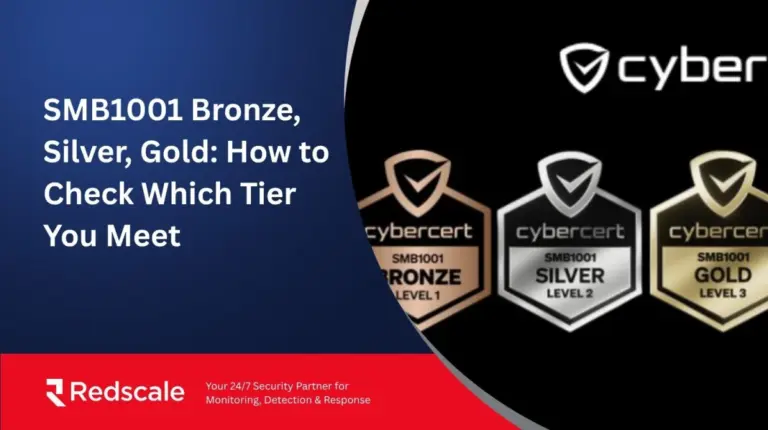
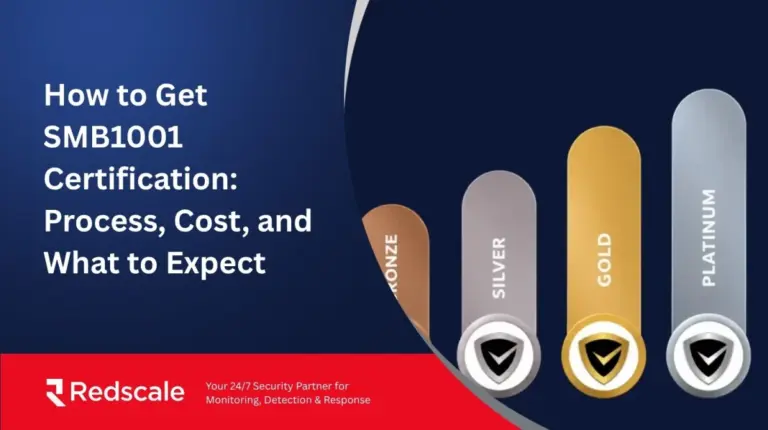
- SMB1001 includes access management, with password managers, MFA, and secure remote access required at Silver Level 2.
- Cyber insurers often expect proof of MFA for remote and privileged access.
- Enterprise buyers and supply chain partners may also ask how your business restricts access, protects customer data, and enforces password controls.
The point is not that password management guarantees compliance. It does not.
The point is that without clear password and access controls, your business may struggle to prove it meets compliance requirements.
Do Cyber Insurers Require Password Management?
Cyber insurers may not always ask for password management by name, but they often ask for the security proof behind it.
That proof often connects to common Australian SMB cybersecurity frameworks, the Essential Eight and SMB1001.
The Essential Eight points businesses towards MFA and restricted admin privileges.
SMB1001 makes access management more explicit for smaller businesses. Its full requirements include password managers, MFA, and secure remote access at Silver Level 2.
This is why password management matters in an insurance conversation.
The password management helps show that your business can control credentials, protect privileged access, and remove access when people leave.
How to Choose a Password Manager for Your Business
Choose a password manager that your team will use, your admins can control, and your business can prove is working. Look for these features when you are selecting a password manager:
- Secure vault with strong encryption
- MFA for vault access
- Password generator
- Secure sharing
- Shared vaults or collections
- Admin console
- User groups and role-based access
- Staff onboarding and offboarding
- Password health or breach alerts
- Recovery process
- Device and browser support
- Export and migration options
- SSO or directory integration where needed
- Audit logs for sensitive access
Then, start with the access problem. The right tool should match how your team shares accounts, removes access, handles admin credentials, and proves controls during reviews.
For a small team, usability matters, so if the tool is too painful, people will work around it.
For a growing organisation, admin control matters, so if the tool has no central management, offboarding and access reviews become harder.
Also, we suggest not choosing only by brand recognition. You need to choose by the access problems you actually need to solve.
A 15-person SaaS team may not need an enterprise vault, but it still needs admin visibility, staff removal, shared account control, and a way to prove the control is active.
Strengthen Your Password Security with Redscale
Storing passwords somewhere doesn’t mean they’re managed. Access rules drift, old logins hang around, and nobody notices until a client or insurer asks for proof.
Redscale’s password management service takes that off your plate. You get clear access rules, MFA closed up, and offboarding that happens on day one, not months later.
Want the rest of your systems covered the same way?
Redscale’s managed security services can extend that oversight to your network, endpoints, and cloud too.
Book a free session and find out where your gaps actually are.